
A browser is not a VPN. Changing the home-screen icon does not hide your IP address from sites you visit or from your network operator. Tracking protection is list-based and not absolute: known ads, analytics, and social trackers from bundled lists are blocked on the device, but no blocker catches everything. Private Browser Incognito is rated 17+ for unrestricted web access and is intended for adults.
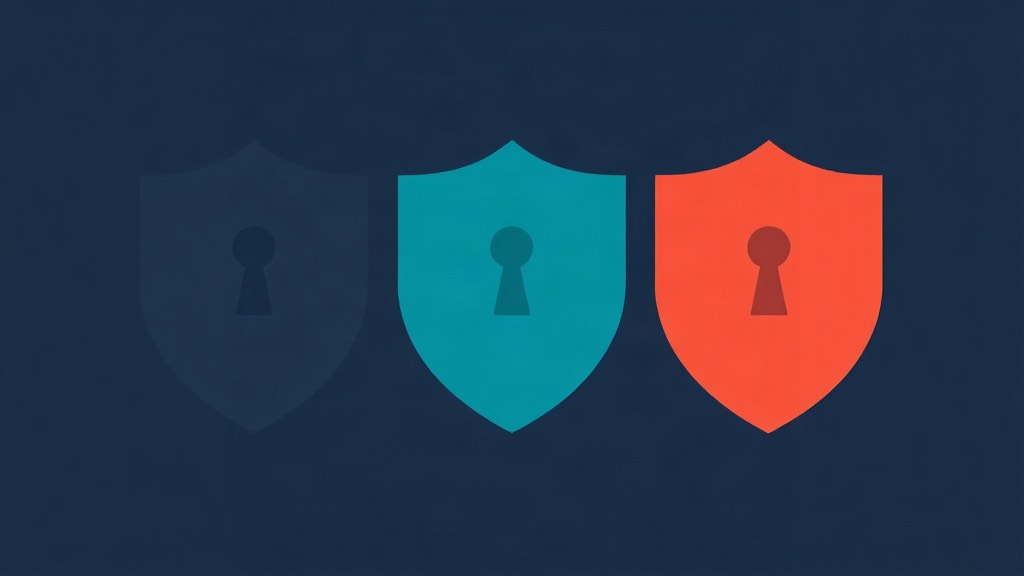
A home-screen icon is a label, not a disguise. Private Browser Incognito lets you recolor the shield. That is the whole visual change. Classic is the primary icon and is always available. Midnight, Ocean, and Ember are the alternate palettes. Applying one of those three requires Stealth Suite. Reverting to Classic never does, including after a subscription lapses.
This page is the shipping list, the paid gate, the lapse rule, and the claim we will not make. We do not ship a calculator icon, a notes icon, a weather icon, or any other glyph meant to pretend the app is something else. If you need a second scene when someone asks you to unlock the browser, that is a decoy passcode, not a fake mark on the grid. Recolor is quieter than that. It is still only a color.
Classic is always there
Classic is the icon the App Store already shows. It is the shield people recognize from the product page. You can install the free app and never touch a color setting. The forgetful session does not depend on a palette. Every tab is still a private session in memory. There is no browsing history feature and no history file to clear. Ads, analytics, and social trackers are still blocked from bundled Disconnect lists that run on the device. One-tap erase still closes every tab and destroys cookies, cache, and site data.
App Lock with a six-digit passcode and Face ID is free in the shipping default. HTTPS-Only Mode is on by default. Search is still Google, Bing, DuckDuckGo, Wikipedia, or a custom engine. None of that is gated on Midnight. A color is not a privacy control. Treat it as furniture on the home screen, the same way a wallpaper is furniture. The architecture lives underneath.
That distinction matters because icon chatter online often sells a different product: an app that looks like a calculator so a borrowed phone does not reveal a browser. We do not ship that. A person who can see your home screen can still see a shield. They may not know which palette is “the private one.” They can still see that a browser is installed. Discretion here is a quieter mark, not an alibi.
If the phone is shared, the useful controls are still the lock, erase, and (if you pay) a decoy. Color does not close a tab. Color does not destroy a session. Color does not hide an IP. The shared-phone walkthrough is Private Browsing on a Shared iPhone.
Midnight, Ocean, Ember
The shipping alternate colors are only these three: Midnight, Ocean, and Ember. They recolor the shield. They do not replace it with another object. We will not invent a fourth seasonal palette in this article. If the app later ships another named color, that is a later page. Today the list is Classic plus those three.
Applying Midnight, Ocean, or Ember requires Stealth Suite. That is optional Apple IAP. The subscription group display name is Stealth Suite. Monthly is $4.99. Yearly is $19.99 with a 7-day trial. Lifetime is $49.99. We do not invent other prices. Purchases go through Apple. There is no Private Browser account that holds a card number, because that account does not exist.
Stealth Suite is a kit, not a skin shop. Icon colors sit next to a decoy passcode, a panic code, a break-in log with optional Intruder Photo, self-destruct, and an encrypted download vault. The split between free and paid, including what happens if you only wanted the lock, is What Stealth Suite Adds (and What Stays Free).
People sometimes assume a paid icon is a stealth feature that fools iOS. Alternate app icons on iOS are still the same app. The system knows which bundle you opened. A color does not create a second product. It does not hide Stealth Suite from the App Store receipt on that Apple ID. It does not hide the app from Settings. Recolor is for the grid you look at, not for the operating system’s idea of what is installed.
Lapse, revert, and what stays on
If a subscription lapses, protections you already enabled keep working. The vault stays accessible. You can still return to Classic. Reverting to Classic never requires Stealth Suite. You are not trapped on Ember because a yearly trial ended. That is the honest rule, and it is the same spirit as the rest of the lapse policy: we do not hold existing protections hostage.
What you cannot do after a lapse is apply a new paid color if the unlock required for that change is no longer active. Classic remains a door that stays open. New downloads that require an active unlock follow the lapse policy in the terms. Icon color is not a download into the vault, but the same idea applies: already-applied state is not a ransom, and Classic is always a valid home-screen mark.
Lifetime is a one-time purchase for the kit on that Apple ID, not a cloud of icons. The color lives on the device as an alternate icon the system already supports. There is no app server for browsing and no icon-sync account. If you delete the app, iOS will forget the locally chosen alternate the way it forgets other alternate icons. Reinstalling starts from Classic until you pick again.
Erase, Auto-Erase, panic, and self-destruct are about session data and, for panic and optional self-destruct, the vault. They do not recolor the home screen. One-tap erase closes tabs and destroys cookies, cache, and site data. It does not reset Classic. A panic code wipes tabs, the vault, and the break-in log, then opens what looks like a fresh start. It is not an icon factory reset. Keep those jobs separate so a wipe is not mistaken for a theme change.
What we do not ship
We do not claim calculator, notes, weather, or other disguise icons. Recolor the shield only. A marketing screenshot that shows a calculator tile is describing a different app, or a wish. This one keeps the mark. The reason is partly honesty and partly product scope. A fake calculator that opens a browser is a different trust story, and it is one we are not telling in the shipping build.
The decoy is the feature that actually changes what someone sees after an unlock. A second passcode opens a clean, empty browser. Real tabs stay hidden. No sign Stealth Suite exists in the decoy. Custom search engines the owner configured stay with the real session. That is a scene at the lock, not a glyph on the home screen. Details live in Decoy Passcode: A Second Browser That Shows Nothing.
App Lock without a decoy still hides the real session behind one code. Someone who cannot unlock the app cannot see the tabs. They can still see the icon. If the threat model is a glance at the grid, a quieter palette may help. If the threat model is a person who demands the passcode, color does nothing. Use the lock, and if you need a second room, use the decoy. Do not expect Ember to negotiate for you.
Rated 17+ is unrelated to the palette and still applies. This is a real web browser with unrestricted access, not a kids app with a friendly icon. You are responsible for what you visit and for using the app lawfully. A softer color does not change the audience. Why the rating exists is Why a Real Web Browser Is Rated 17+.
A table you can keep
The moving parts, without adjectives:
| Icon | What it is | Stealth Suite |
|---|---|---|
| Classic | Primary shield | Never required, including revert after lapse |
| Midnight | Same shield, darker palette | Required to apply |
| Ocean | Same shield, cooler palette | Required to apply |
| Ember | Same shield, warmer palette | Required to apply |
| Calculator, notes, weather | Not shipped | Not a product we sell |
Use that table when a comparison chart promises “secret icons.” Ask whether the mark is still a browser mark. Ask whether revert is free. Ask whether a lapse traps you on a paid tile. Private Browser Incognito answers those three in the same direction: shield only, Classic always, lapse does not lock the color door.
What color does not change
A browser alone does not make you anonymous. Sites you visit and your network operator can still see your IP address. On-device blocking is still list-based and not absolute. Per-site exceptions still exist. There are still no accounts and no app server for browsing. The privacy label is still Data Not Collected. iOS only. Not Android.
Intruder Photo, if you enable it in Stealth Suite, can depict other people. Camera permission is asked when you turn the feature on, never at the lock screen. Local law still applies. An Ember shield does not change that duty. Panic and self-destruct still permanently destroy data. Erased data cannot be recovered, by you or by us. Forgotten passcodes cannot be recovered. Color is the lightest object in that kit. Keep it that way in your head so the heavy objects stay heavy.
If you came here from a search for a hidden app icon, the honest product is smaller than the search. You can make the shield quieter. You cannot make the app into a calculator. You can lock the session. You can open a decoy. You can erase. You cannot hide from a network by tinting a glyph. That last sentence is the same limit as the rest of this site, restated for the home screen.
Frequently asked questions
Which icon colors does Private Browser Incognito ship?
Classic is the primary icon and is always available. Midnight, Ocean, and Ember recolor the same shield. Those three are the only alternate colors. There is no calculator icon, notes icon, weather icon, or other disguise glyph in the shipping app.
Do I need Stealth Suite to change the icon color?
Applying Midnight, Ocean, or Ember requires Stealth Suite. Classic never does. You can install the free app and keep the primary icon. Recolor is optional paid kit, not part of the forgetful session itself.
Can I revert to Classic if my subscription lapses?
Yes. Reverting to Classic never requires Stealth Suite, including after a lapse. Protections you already enabled keep working. You are not stuck on a paid color if the subscription ends.
Is there a calculator or notes disguise icon?
No. The shipping app recolors the shield only. It does not replace the mark with a calculator, notes, weather, or other disguise icon. If you need a second scene on unlock, that is the decoy passcode, not a fake home-screen glyph.
What does Stealth Suite cost?
Monthly $4.99, yearly $19.99 with a 7-day trial, or lifetime $49.99. Purchases go through Apple. Icon colors are one piece of that optional kit, next to the decoy, panic code, break-in log, self-destruct, and the encrypted vault.